
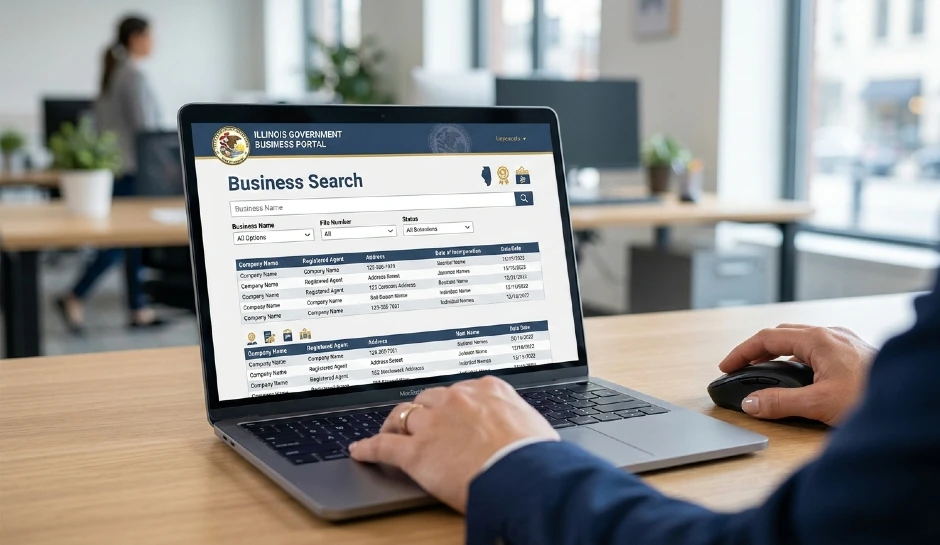
Illinois Business Search: How to Look Up Any IL Business Entity, Read the Results, and What to Do Next
You are about to sign a contract with a company, buy from a vendor, or start your own LLC in Illinois. You need to verify that a business is actually registered, legally active, and operating under the name they gave you.
The tool you need is the Illinois Secretary of State (ILSOS) business search portal at ilsos.gov. It is free, open to the public, and covers every corporation, LLC, limited partnership, and not-for-profit registered in the state. No account needed. No fee.
The problem is not finding the portal — it is knowing how to search correctly, how to read what comes back, and what the status codes actually mean. A company showing “Not In Good Standing” is still technically registered but has unresolved compliance issues. That is a very different situation from “Dissolved,” which means they have legally ceased to exist. Most people do not know the difference. This guide walks through all of it.
Quick Answers: Illinois Business Search
| Question | Direct Answer |
| Where do I search IL businesses? | ilsos.gov — click Business Services, then Corporation/LLC Search. Direct URL: ilsos.gov/corporatellc/ |
| Is the search free? | Yes. Completely free and publicly accessible with no login required. |
| What information can I find? | Entity name, status, file date, registered agent name and address, principal office address, and annual report history. |
| What does ‘Not In Good Standing’ mean? | The business is registered but has missed an annual report or fee. It cannot legally conduct business in Illinois until resolved. |
| Can I search by owner name? | No. ILSOS only searches by business name or entity number — not by owner or member name. |
| Does the search include DBAs? | No. Assumed business names (DBAs) are registered at the county level, not with the state. Use your county clerk for DBA searches. |
| Can I find out who owns an Illinois LLC? | Only if they filed member/manager information. Many Illinois LLCs list only the registered agent — ownership is often not publicly disclosed. |
| What if the business is not showing up? | They may be operating as a sole proprietor (no state registration required), registered in another state, or using a DBA registered at the county level. |
How to Use the Illinois Secretary of State Business Search: Step by Step
The ILSOS portal is straightforward once you know where to go. The challenge is that the website has multiple entry points and a slightly outdated layout that sends people to the wrong section.
The Exact Path to the Business Search Tool
- Open your browser and go to ilsos.gov — the official Illinois Secretary of State website.
- In the main navigation, click Business Services. Do not click Business Registration or any of the sub-menu items — click the main Business Services heading first.
- On the Business Services page, look for the section labeled Corporation/LLC Search or use the direct link: ilsos.gov/corporatellc/
- You will land on a search form with two input options: Business Name or File Number (also called Entity ID). Choose which one you have.
- Enter your search term and click Search.
- Review the results list. If multiple entities appear, look at the entity type column and status column to identify the right one.
- Click the entity name to open the full detail record.
The most common navigation mistake is landing on the Business Registration page instead of the Business Search. The registration page is for filing new entities, not looking up existing ones. If you see a page asking you to start a new filing, you are in the wrong place. Go back and use the direct URL: ilsos.gov/corporatellc/
Search by Business Name: How to Get Better Results
Illinois name search is prefix-based, not keyword-based. That means searching “Chicago Plumbing” will return results where the business name starts with “Chicago Plumbing” — but it will NOT return a company named “Advanced Chicago Plumbing Solutions” because that name does not start with your search term.
This trips people up constantly. If you are looking for a specific company and your search returns nothing, try these adjustments:
- Search a shorter version of the name — just the first word or two
- Drop any corporate suffix like LLC, Inc, Corp, or Co. — the system sometimes indexes these inconsistently
- Try alternate spellings or abbreviations — a company might be registered as “St.” instead of “Saint” or “&” instead of “And”
- If you know the city, that does not help — the ILSOS search does not filter by city or county
- Use the File Number if you have it from a contract, invoice, or prior search — it is the most reliable lookup method
Search by File Number: The Faster and More Reliable Method
Every registered Illinois entity gets a unique File Number (also called the Entity ID or charter number). It is a numeric code, typically 7 to 8 digits for corporations and slightly different for LLCs. If you have this number from a contract, a prior certificate, or someone provided it to you, use it instead of the name search. It returns exactly one result every time.
You can also find the file number from a prior search result and bookmark it for future lookups on the same company. Useful if you regularly check on the same vendors or partners.
11 months to permit approval, then rejection. Real failure stories from retailers who lost millions. Protect yourself with smart budget planning frameworks.
How to Read an Illinois Business Search Result
Once you open a full entity record, you will see a set of fields. Most of them are self-explanatory. A few are genuinely important and poorly understood.
Every Field Explained
| Field | What It Actually Means |
| Entity Name | The legal registered name. This is what appears on contracts and legal documents. A DBA (doing business as) name is not shown here. |
| File Number | Unique state-assigned ID. Use this for all future lookups and any state correspondence. |
| Entity Type | LLC, Corporation (domestic or foreign), Limited Partnership, Not-For-Profit, etc. Foreign means registered in another state but authorized to operate in Illinois. |
| Status | The most important field. See the status code breakdown in the next section. |
| State of Incorporation | For domestic entities: Illinois. For foreign entities: their home state (Delaware, Nevada, etc.). |
| Date of Formation/Incorporation | The date the entity was officially registered with the state. Not the date the business started operating. |
| Principal Office Address | The main business address on file. This is self-reported and may be outdated if the business moved and did not update. |
| Registered Agent Name | The person or entity designated to receive legal documents (lawsuits, official notices). Required by Illinois law for all registered entities. |
| Registered Agent Address | Must be a physical Illinois address — no P.O. boxes allowed. This is where legal service of process is delivered. |
| Annual Report Date | The date the most recent annual report was filed. Illinois LLCs and corporations must file annually. Missing this is the main reason entities fall out of good standing. |
| Duration | Most entities show “Perpetual.” Some have a set end date built into their articles — rare, but check this if you are entering a long-term contract. |
Illinois Entity Status Codes: What Each One Really Means
This is where most people get confused. The status field is not just Active vs. Closed. There are several distinct codes that have real legal implications — especially if you are relying on the entity to hold up a contract or transaction.
| Status Code | What It Means | Practical Implication |
| Active – Good Standing | The entity is legally registered, current on all filings and fees, and authorized to do business in Illinois. This is what you want to see. | Safe to proceed with contracts. |
| Not In Good Standing | Registered but has missed an annual report, fee, or other compliance requirement. The entity technically still exists but legally cannot conduct business until resolved. | Proceed with caution. Ask them to cure the deficiency before signing. |
| Dissolved – Voluntary | The owners chose to wind down and dissolve the entity through proper state filing. The business no longer legally exists. | Do not sign contracts with this entity. They have no legal standing. |
| Dissolved – Administrative | The state dissolved the entity for non-compliance (missed filings, unpaid fees). Common for abandoned businesses. | Entity has no legal standing. Any contracts are questionable. |
| Revoked | Typically used for foreign (out-of-state) entities whose authority to operate in Illinois was revoked. Same practical effect as administrative dissolution. | Treat as dissolved for contract purposes. |
| Withdrawn | A foreign entity that voluntarily surrendered its authority to do business in Illinois. | They are no longer authorized to operate in Illinois. |
| Exists/Good Standing (Not-for-Profit) | The NFP equivalent of Active – Good Standing. Used specifically for not-for-profit corporations. | Standard active status for NFPs. |
| Merged | The entity merged into another entity. The surviving entity continues under a different name or file number. | Check the surviving entity’s status and name. |
The Not In Good Standing status is the one that creates the most real-world problems. A company operating under this status is technically in violation of Illinois law. Contracts they sign are not automatically void — the entity still legally exists — but they cannot legally transact business, which creates enforceability questions. Courts have varied on this. The safest approach is to refuse to sign until they provide a current Certificate of Good Standing.
What a Certificate of Good Standing Is and How to Request One
A Certificate of Good Standing (also called a Certificate of Status) is an official state document confirming that an entity is properly registered and compliant. It is issued by the ILSOS upon request.
You cannot print one from the public search results page. It must be officially requested. There are two ways to get one:
- Online: Through the ILSOS Cyber Drive portal (cyberdriveillinois.com). Cost is $25 per certificate as of the current fee schedule. Processing is typically 1–2 business days online.
- By mail: Submit a written request to the ILSOS Business Services Department with the entity name, file number, and a check or money order. Processing takes 2–4 weeks by mail.
When should you demand a Certificate of Good Standing from the other party? Any time you are entering a contract worth more than a few hundred dollars, before extending credit or net payment terms, before a business acquisition or asset purchase, and when a lender or title company requires proof of status for a closing.
Do not accept a screenshot of the ILSOS search result as a substitute. Screenshots can be faked, are not official documents, and have no legal standing. Only an ILSOS-issued certificate counts.
Searching for Different Types of Illinois Business Entities
The ILSOS portal covers several types of registered entities. Each type has slightly different filing requirements, public record disclosures, and search quirks.
Illinois LLC Search
LLCs are the most common entity type in Illinois. The search works the same way as described above. What is important to understand about LLC records specifically: Illinois LLCs are not required to disclose their members (owners) or managers in their articles of organization. Many LLCs list only the registered agent in their public record.
This is intentional and legal. Illinois law does not require member disclosure in public filings. So if you are trying to find out who owns an LLC — for due diligence, a legal dispute, or a business investigation — the ILSOS search will often not tell you. You will need to use other methods: look at their operating agreement (if you can obtain it), check UCC filings, review property records if they own real estate, or work with an attorney who can use formal discovery.
What the LLC search will show: the registered agent name and address, the principal office address, the formation date, and the annual report history. That is enough to confirm the entity is real, active, and properly located.
Illinois Corporation Search
Corporations (Inc., Corp.) have slightly more robust public records than LLCs. Illinois corporations must file annual reports that disclose officer names (President, Secretary, Treasurer) and their business addresses. Directors are also listed.
This means if you search for a corporation, you will actually see the names of at least the officers — which gives you more information than an LLC search. The registered agent and principal address are also shown.
For publicly traded corporations, the ILSOS record is just the state registration record — it will not show shareholder information, which is governed by SEC disclosures, not state filings.
Beyond chatbots: AI that cuts costs, predicts demand, and automates decisions. Essential reading alongside 2025 technology trends reshaping industries.
Foreign Entity Search
A foreign entity is not a company from another country — in legal terms, it means a company formed in one state that is authorized to do business in another state. A Delaware LLC operating in Illinois must register as a foreign LLC with the ILSOS and maintain that authorization annually.
Foreign entities show up in the same search. Their entity type will say something like “Foreign LLC” or “Foreign Corporation.” Their State of Incorporation will show their home state (Delaware, Nevada, Wyoming, etc.). Their status works the same way — they can be Active, Not In Good Standing, Revoked, or Withdrawn.
A revoked foreign entity has had its Illinois authority pulled. They legally cannot do business in Illinois anymore. If you are signing a contract with a foreign entity, verify both their Illinois foreign authorization status AND their home state registration status. A company can be active in Delaware but revoked in Illinois.
Not-for-Profit Corporation Search
NFPs are searched on the same portal. Their status code reads slightly differently (Exists rather than Active) but the interpretation is the same. Illinois NFPs must file annual reports and maintain a registered agent just like for-profit entities.
One thing to verify for NFPs: their federal tax-exempt status is separate from their state registration. A not-for-profit corporation registered with the ILSOS is not automatically a 501(c)(3). Federal tax exemption is granted by the IRS, not the state. If you are donating to an NFP or considering a grant, verify their IRS determination letter separately at apps.irs.gov/app/eos/ — the IRS Exempt Organizations search tool.
Limited Partnership and Limited Liability Partnership Search
LPs and LLPs are less common but appear in the same ILSOS search. LPs have at least one general partner with unlimited liability and limited partners with liability limited to their investment. LLPs are common for law firms, accounting firms, and other professional service providers.
The public record for LPs and LLPs shows the entity name, registered agent, formation date, and status. General partner names are disclosed. Limited partner names are typically not public.
From edge computing to AI agents—what actually matters for SMBs this year. Equip your team with budget laptops for remote work to implement these tools.
Using the IL Business Search to Check a Name Before Filing Your Own LLC
This is one of the most practical uses of the ILSOS search and one that almost every new business owner needs to do before they pay a filing fee.
Illinois Name Availability Rules: What Makes a Name Unavailable
Illinois will not let you register an LLC or corporation with a name that is the same as — or deceptively similar to — an already active entity. The key phrase is deceptively similar. You do not need an exact duplicate to get rejected. A name that looks like it could be confused with an existing business will be denied.
- “Apex Construction LLC” is already registered. You try “Apex Constructions LLC” — this will likely be rejected as deceptively similar.
- “Chicago Legal Group Inc” exists. You try “Chicago Legal Group LLC” — different entity type, but the name is identical. Likely rejected.
- “Advanced Auto Repair” is dissolved. You try to register the same name — this may now be available since the prior entity no longer exists. But check the exact status first.
Punctuation, articles (a, an, the), and corporate suffixes (LLC, Inc, Co) are generally ignored in similarity comparisons. What matters is the distinctive part of the name.
How to Do a Proper Name Availability Check
- Go to ilsos.gov/corporatellc/ and search your desired name.
- Search not just the exact name, but variations. Search the first one or two distinctive words to see everything that starts similarly.
- Look at Active and Not In Good Standing entities carefully — both can block your registration.
- Dissolved entities generally cannot block you, but confirm the status shows fully dissolved, not just administratively inactive.
- If nothing comes up that is similar, your name is likely available at the state level.
- Important: state name availability does NOT mean the name is available as a trademark. Run a separate trademark search at USPTO.gov before investing in branding.
A common mistake is to check the ILSOS and assume name clearance is complete. State registration and federal trademark protection are completely separate systems. You can register “Peak Performance Coaching LLC” in Illinois with no state conflict, then get a cease and desist letter three months later from a national brand with a federally registered trademark in the same service category.
The ILSOS search clears your name for Illinois state registration purposes only. For full clearance, also check the USPTO trademark database, common law trademark use (Google, social media), domain name availability, and social media handle availability.
Reserving a Business Name in Illinois
If you found a name that is available but you are not ready to file your LLC or corporation yet, Illinois allows you to reserve the name for 90 days. The fee is $25. You file Form LLC-1.15 (for LLCs) or BCA 4.10 (for corporations) with the ILSOS.
Name reservation does not form an entity. It just holds the name so nobody else can register it while you prepare your filing. After 90 days, the reservation expires and the name goes back to open availability.
What the IL Business Search Cannot Tell You
The ILSOS search is a state registration database. It is not a comprehensive business intelligence tool. Knowing its limitations saves you from making decisions based on incomplete information.
It Does Not Show Lawsuits or Legal Judgments
A company can be Active – Good Standing in the ILSOS database and simultaneously have three pending lawsuits against them, a federal tax lien, or multiple civil judgments. State registration status has nothing to do with litigation history.
To check for lawsuits against a business: search the Illinois Court’s online case lookup system at illinoiscourts.gov/courts/circuit-court/ for state court cases. For federal lawsuits, use PACER (pacer.uscourts.gov) — there is a per-page fee. For tax liens, check the county recorder’s office for the county where the business is located.
It Does Not Show UCC Filings or Liens
UCC (Uniform Commercial Code) filings are security interests — meaning a lender has a claim on the company’s assets as collateral for a loan. If a business has outstanding UCC filings against it, a creditor has a legal claim on those assets. That is critical to know before you buy business assets, extend credit, or acquire a company.
UCC searches in Illinois are done separately through the ILSOS UCC search, also at ilsos.gov — but it is a different portal section than the business entity search. Go to ilsos.gov, then look for the UCC section under Business Services. Search by debtor name (the business name). Results show any active financing statements filed against that business.
It Does Not Show Tax Compliance or Outstanding Tax Debt
A business can owe back taxes to the Illinois Department of Revenue or the IRS and still maintain its ILSOS registration. The Secretary of State does not communicate with the tax authorities for registration purposes.
To check Illinois state tax standing separately, the Illinois Department of Revenue offers a Tax Compliance search for businesses at mytax.illinois.gov. This shows whether a business is current on state tax obligations. The IRS has no equivalent public tool — federal tax debt is not publicly disclosed unless it escalates to a filed tax lien, which you can find through a county records search or PACER.
It Does Not Show Licensing or Permit Status
State registration and professional or business licensing are completely separate in Illinois. A business can be a registered LLC in good standing with the ILSOS and still be operating without required licenses. Contractors, healthcare providers, food service businesses, financial services firms, childcare centers, and dozens of other categories require separate state or local licenses on top of their entity registration.
To check Illinois professional licenses, use the IDFPR (Illinois Department of Financial and Professional Regulation) lookup at idfpr.illinois.gov. For Chicago-specific business licenses, check the City of Chicago Business License Search. For other municipalities, check with the local city clerk or business license office.
It Does Not Show DBA (Assumed Name) Registrations
A DBA — doing business as — allows a registered business to operate under a different name than their legal entity name. In Illinois, DBAs are not filed with the ILSOS. They are filed at the county clerk’s office in the county where the business operates.
So if you search for “Green River Landscaping” and find nothing in the ILSOS search, that business might exist as a DBA under a different entity name. For example, their registered entity might be “John Smith Enterprises LLC” and they are operating under the assumed name “Green River Landscaping” filed with Cook County. The state search will never surface this.
To find DBAs: contact the county clerk’s office for the relevant county. Cook County has a public assumed name search at cookcountyclerkil.gov. Other counties vary — call the county clerk directly if an online search is not available.
Practical Scenarios: How to Use the IL Business Search for Real Decisions
Scenario 1: Verifying a Vendor Before Signing a Contract
You are about to sign a $40,000 service contract with a company you have not worked with before. They presented themselves as “Midwest Technology Solutions LLC.”
What to do: Search ILSOS for the exact legal name. Confirm it is Active – Good Standing. Check the registered agent address — if it is a registered agent service company (CT Corporation, Northwest Registered Agent, etc.) rather than a real business address, that is normal for many legitimate businesses, not necessarily a red flag. Check the formation date — a company formed two months ago presenting itself as an established vendor deserves extra scrutiny. Check the principal office address and see if it matches what they showed you in their materials.
What to do next: For any contract over $10,000, request a Certificate of Good Standing directly from ILSOS or ask the vendor to provide one issued within the last 30 days. A screenshot is not acceptable.
Scenario 2: Checking a Business Before Making an Investment or Acquisition
You are considering buying a business or investing in one. The owner says the company is an active Illinois LLC.
The ILSOS search is your first stop, not your last. Confirm the entity exists and is in good standing. Then go further: pull the annual report history to see if they have been consistently filing (gaps suggest management neglect or financial stress). Check UCC filings on the ILSOS UCC portal — outstanding liens on business assets could follow the acquisition. Check court records for any pending litigation. Request the operating agreement to understand ownership structure and any restrictions on transfer of membership interests.
The ILSOS search tells you the entity is real. Full acquisition due diligence tells you whether it is worth buying.
Scenario 3: Someone Claims They Have a Business — You Want to Verify
A contractor says they are fully licensed and incorporated. You want to verify.
Search the ILSOS for their company name. If nothing comes up, they may be operating as a sole proprietor (no state registration required, but also no liability protection for you if something goes wrong). If they are registered, check the status. Then separately check their license on the IDFPR portal if they are in a licensed trade (contractors, electricians, plumbers, etc.). State registration and licensing are two different verifications.
Scenario 4: Your Own Business Fell Out of Good Standing
You search your own company and see Not In Good Standing. This happens more often than people expect — especially when a business moves, changes email addresses, and stops receiving ILSOS annual report reminders.
How to fix it: The most common cause is a missed annual report. Illinois LLCs and corporations must file an annual report and pay the associated fee each year. The fee for LLCs is $75. For corporations it is based on paid-in capital. Late filings incur a penalty.
- Log into the ILSOS Cyber Drive portal at cyberdriveillinois.com.
- File the delinquent annual report(s) and pay the outstanding fees and penalties.
- Allow 2–5 business days for the status to update in the public search database.
- Request an updated Certificate of Good Standing once the status shows Active.
If the status shows Administratively Dissolved (meaning the state has already shut down the entity), the path to restoration requires a Reinstatement filing, not just an annual report. Illinois allows reinstatement for up to 5 years after administrative dissolution. After 5 years, the entity name may be permanently released and you may need to form a new entity. An attorney familiar with ILSOS filings can handle reinstatement if the paperwork is complex.
Other Illinois Business Search Resources Beyond the ILSOS Portal
The ILSOS entity search is the primary tool, but it does not stand alone. Here is the full toolkit for doing proper Illinois business verification.
| Resource | URL / Location | What to Use It For |
| ILSOS Business Entity Search | ilsos.gov/corporatellc/ | Entity status, registered agent, annual report history, officer names for corps |
| ILSOS UCC Filings Search | ilsos.gov (UCC section) | Liens and security interests filed against Illinois businesses |
| ILSOS Certificate of Good Standing | cyberdriveillinois.com | Official status certificate — $25, 1–2 business day processing online |
| IDFPR License Lookup | idfpr.illinois.gov | Professional and occupational licenses — contractors, healthcare, financial services |
| Illinois Courts Online | illinoiscourts.gov | State court case lookup — civil suits, judgments against a business |
| PACER Federal Courts | pacer.uscourts.gov | Federal court cases — bankruptcies, federal civil suits, small per-page fee |
| Illinois Dept. of Revenue | mytax.illinois.gov | State tax compliance verification for businesses |
| Cook County Assumed Name Search | cookcountyclerkil.gov | DBA registrations for Cook County businesses |
| USPTO Trademark Search | tmsearch.uspto.gov | Federal trademark check — separate from state registration |
| IRS Exempt Org Search | apps.irs.gov/app/eos/ | Verify 501(c)(3) and other federal tax-exempt status for NFPs |
| EDGAR (SEC) | sec.gov/cgi-bin/browse-edgar | For publicly traded companies — filings, financials, ownership disclosures |
| Better Business Bureau | bbb.org | Complaints and ratings — not a legal verification tool, but useful for consumer context |
Common Mistakes People Make When Searching Illinois Business Records
Trusting the Business Name Alone
Businesses sometimes operate under a name that is slightly different from their legal registered name. “Smith & Associates” might be the DBA while the legal entity is “John R. Smith Consulting LLC.” If you search “Smith & Associates” and find nothing, that does not mean they are not registered. It may mean you are searching the DBA, not the legal name. Ask for their legal entity name and file number directly.
Ignoring the Annual Report Date
A company can be marked Active – Good Standing today but have an annual report due in 30 days that they are unlikely to file. The status only reflects the current moment. If the last annual report was filed two years ago for a company that is supposed to file annually, that is a signal. It may mean they filed late (which is fine) or it may mean they are close to falling out of good standing. Check the specific filing dates, not just the current status.
Assuming Active Means Everything Is Fine
Active – Good Standing means compliance with ILSOS filing requirements. It says nothing about their financial health, litigation exposure, tax debts, licensing compliance, or operational legitimacy. A company that is Active with the ILSOS can simultaneously be in bankruptcy, under criminal investigation, operating without required licenses, and have a dozen civil judgments. The ILSOS is one piece of due diligence, not the whole picture.
Not Checking the Registered Agent Address
The registered agent address is the legal address where lawsuits and official notices are served. If a company’s registered agent address is invalid or outdated, important legal documents may not reach them — which can create complications if you ever need to take legal action against them. A P.O. box is not allowed. If the address looks residential or if it belongs to a commercial registered agent service, make note of it. It does not mean the business is illegitimate, but it does mean you need their actual principal office contact if you need to reach them directly.
Forgetting to Check After a Business Name Change
Businesses can change their legal name through an amendment filing with the ILSOS. If you worked with a company under one name, they may now appear under a completely different name in the database. The file number stays the same through a name change. If you are trying to find a company you know and the name search returns nothing, try searching the file number if you have it — or contact your county circuit court to see if there is a prior record under the old name.
The Right Way to Use the Illinois Business Search
The ILSOS entity search is a powerful free tool when you know what it is showing you and what it is not. Searching ilsos.gov/corporatellc/ takes two minutes. Reading the status correctly takes an understanding of what Active vs. Not In Good Standing vs. Dissolved actually means. And knowing when to go beyond the ILSOS — to UCC filings, court records, tax compliance, and licensing databases — separates a surface-level check from real due diligence.
Use the search every time you enter a new vendor relationship, sign a contract with an entity you have not verified before, form your own business and need to confirm name availability, or check your own entity status before a major transaction.
It is free, it takes two minutes, and the information it surfaces can prevent serious problems down the line.

Related Posts
Iowa Secretary of State Business Search: What It Is, How to Use It, and What Most People Get Wrong

Instagram for Business: How to Set It Up, What to Post, and How to Actually Get Customers From It