Iowa Secretary of State Business Search: What It Is, How to Use It, and What Most People Get Wrong
If you landed here Iowa Secretary of State Business Search, you probably want one of three things. You want to check if a business name is already taken. You want to verify whether a company is actually registered and active in Iowa. Or you already have a business and need to find your filing number before submitting paperwork.
This guide covers all three — practically, step by step, with the exact details that most articles skip.
Quick Answer Table
| Your Goal | What to Do |
|---|---|
| Check if a name is taken | Use Business Entity Search, type partial name, check active AND inactive results |
| Verify a company is legitimate | Search by name, click Business Number, read the Status field |
| Find your registered agent | Click Business Number on any entity, scroll to Section 3 |
| Find your own Business Number | Search your business name, it appears in the results column |
| Register a new business | Use Fast Track Filing — Iowa’s online business registration system |
| Reserve a name before filing | File a Name Reservation through Fast Track Filing — costs $10, holds name 120 days |
| Get proof your business is active | Request a Certificate of Existence through the SOS Business Services page — costs $5 |
| Call the SOS office directly | 515-281-5204 |
What Is the Iowa Secretary of State Business Search?
It is a free, public online database maintained by the Iowa Secretary of State’s office. It holds records for every formally registered business entity in Iowa — LLCs, corporations, nonprofits, limited partnerships, limited liability partnerships, and foreign entities operating in the state.
Right now there are over 600,000 business entities in that database, both active and inactive.
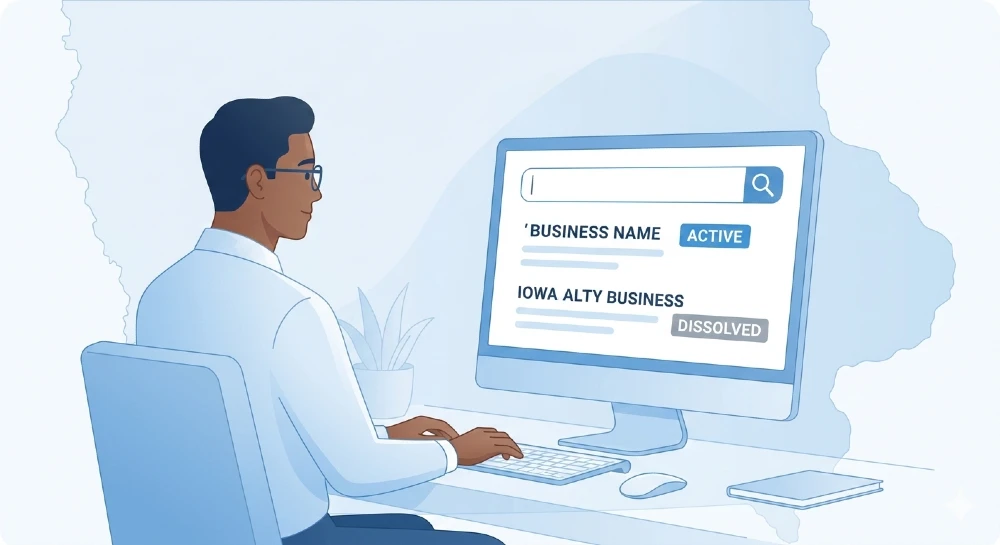
The tool itself is simple. You type a name or a filing number, hit search, and get a list of matching entities with their status, entity type, and a clickable Business Number that opens the full record.
What most people don’t realize is that the database includes dissolved and administratively dissolved businesses too — not just active ones. This matters a lot when you’re checking name availability, which we’ll cover in detail below.
How to Search — The Exact Steps
When you open the search page, you’ll see two input boxes. One is for business name. One is for filing number. Use only one at a time.
Searching by business name:
Type the name — or just the first word or two — into the business name box. Then click the Search button next to that specific box. Don’t hit Enter. Don’t fill in both boxes at once.
The results table shows up to 1,000 matching entries. Each row has four columns: Business Number, Name, Status, and Type.
To see full details for any entity, click the Business Number in the first column. That opens the complete record with four sections:
- Section 1 — Entity name, status, type, formation date, expiration date
- Section 2 — Any trade names or DBA names registered under this entity
- Section 3 — Registered Agent details — name and address
- Section 4 — Principal office address
That’s where all the useful information lives.
Searching by filing number:
If you already have the 6-digit Business Number for an entity, type it into the second search box. This returns exactly one result — fast and precise. No scrolling through similar names.
This is the most efficient method when you’re looking up your own business before filing a document, or when a vendor has given you their Business Number and you want to verify it.
The One Thing About the Search Engine That Nobody Explains
The Iowa SOS search system automatically strips what are called “noise words” before it runs your search. This is the single most important thing to understand about how the tool works.
Words like “The,” “A,” “An” at the beginning of a name — stripped. Words like “LLC,” “Inc,” “Corporation,” “Co,” “Incorporated,” “Limited” at the end — also stripped. The system removes them silently before searching.
So if you type “The Riverside Bakery LLC,” the system actually searches for “Riverside Bakery.”
This is a good thing. It means your results are broader and more complete. But it also means you don’t need to include those words — and sometimes including them causes people to think they’re being more precise when they’re actually just adding words the system ignores.
The search also works on prefix matching. Type “Maple” and you’ll get every business whose name starts with “Maple” — Maple Street LLC, Maple Ridge Logistics, Maple Creek Farms, and so on. This is exactly what you want when checking name availability because you see everything similar in one view.
Use this intentionally. If your proposed name is “Prairie Wind Energy,” search “Prairie Wind” to see if anything similar already exists before you file.
What Each Status Actually Means
The Status column in the results is the most important piece of data on that screen. Before entering any contract, paying any vendor, or signing any partnership agreement — check this.
Active means the business is in good standing. All required filings are current. This is what you want to see.
Inactive means the business exists on record but is not currently in active status. An inactive entity may not have full legal authority to sign contracts or conduct formal business in Iowa. Proceed carefully.
Admin Dissolved is a red flag. This means the Iowa Secretary of State forcibly closed the business — almost always because the business failed to file its biennial report on time. The owners didn’t choose to close it. The state shut it. An admin-dissolved company may still try to operate, but it has no legal standing in Iowa.
Dissolved means the business was formally closed by its owners through a proper dissolution filing. It’s done. Voluntarily shut down.
One thing worth knowing that most guides leave out: Iowa requires biennial reports — filed every two years — not annual reports like most states. A business could show “Active” in the database today but be approaching the end of its two-year cycle. If the stakes are high, call the SOS office at 515-281-5204 to confirm current standing directly.
How to Check If Your Business Name Is Available
This is where most new business owners make an expensive mistake. They pick a name, love it, and submit formation documents — only to get them rejected because a similar name already exists in the database.
Iowa law requires every LLC and corporation to have a name that is “distinguishable” from all other registered entities. The bar is not just identical names — it’s names similar enough to cause confusion. That means you need to check carefully before filing.
Here is the right approach:
Step 1: Search just the first distinctive word or phrase of your intended name. If your name is “Cedar Falls Digital,” search “Cedar Falls” first. Don’t type the full name — you’ll miss partial matches.
Step 2: Look at both active and inactive results. An inactive or dissolved business name can still block yours if the names are too similar.
Step 3: Look for phonetic similarities, not just exact matches. “Korn” and “Corn” could be considered too similar. “Tech” and “Technology” in the same industry context could cause issues.
Step 4: If you’re unsure after searching, call 515-281-5204 and ask. The SOS staff can tell you whether your specific name is likely to pass the distinctiveness review before you pay a filing fee.
What not to do: Don’t assume an admin-dissolved or dissolved name is automatically available. The SOS may still consider it taken. Always confirm directly.
What You Can and Cannot Find in This Database
This is something almost every competing article gets wrong. They either oversell what the database covers or skip the limits entirely. Here is the honest breakdown.
What you can find:
- Legal business name and any registered trade names (DBA names)
- Entity type — LLC, Corporation, Nonprofit, LP, LLP, Foreign LLC, Foreign Corp, and others
- Current status — Active, Inactive, Admin Dissolved, or Dissolved
- Formation date
- Registered Agent name and full address
- Principal office address
- Full filing history — every document ever submitted to the SOS for that entity
- Officer and director names for corporations (visible in the filed documents section)
What you cannot find:
- Owner personal phone numbers or email addresses
- Financial data, revenue, or tax records
- Federal EIN or Tax ID numbers — these come from the IRS, not the SOS
- State business licenses — Iowa licenses are issued through the Iowa Department of Revenue or specific regulatory boards, completely separate from this database
- Employees or payroll information
- Civil lawsuits or court judgments — those are held by Iowa courts, not the SOS
- UCC filings and secured interest records — these are searchable separately through a different section of the SOS system, not through business entity search
The SOS office is a filing repository. It records what businesses submit. It does not independently verify that the information businesses submit is accurate.
Finding the Registered Agent — And Why It Matters
The registered agent is the legally designated person or company responsible for receiving official documents on behalf of a business. Think lawsuits, government notices, tax correspondence, and compliance letters. Every formally registered Iowa entity must have one.
When you click a Business Number and land on the entity detail page, Section 3 shows the registered agent’s name and address.
Two situations where this matters in practice:
If you want to send a formal legal notice or serve process on a business — the registered agent’s address is the legally recognized location for this in Iowa.
If you’re trying to locate the business itself — Section 4 shows the principal office address, which is the business’s actual mailing address.
Something worth knowing: many small Iowa businesses list the owner as the registered agent, using a personal home address. That address becomes part of the public record. This is why some owners pay for a registered agent service — it keeps their home address off the public database while still satisfying the legal requirement.
Searching for Foreign Entities in Iowa
“Foreign entity” in Iowa law doesn’t mean a business from another country. It means a business that was originally formed in another U.S. state but has obtained authority to operate in Iowa.
These show up in the SOS search just like domestic entities. The Type column in search results tells you the difference — you’ll see labels like “Foreign LLC” or “Foreign Corporation.”
This is not a red flag. Many businesses incorporate in Delaware or another state for legal or tax reasons, then register as a foreign entity in Iowa to conduct business there. It’s completely normal and legal.
What you do want to check is their Status. If a foreign entity’s Iowa registration is Admin Dissolved or Inactive, they technically don’t have legal authority to operate in Iowa at that moment. If you’re signing a contract, verify they are Active.
Business Name Reservation — A Step Most New Business Owners Skip
If your name search comes back clean but you’re not ready to file the full formation documents yet — maybe you’re still working on your operating agreement, or waiting on a partner — you can reserve the name.
A name reservation holds your chosen name for 120 days. During that time, no other business can register the same or similar name with the Iowa SOS.
The fee is $10. You file for it through Fast Track Filing, Iowa’s online document submission system.
This step is optional but smart if there’s any gap between when you confirm a name is available and when you’re ready to officially form the entity. Without a reservation, someone else could register that name tomorrow.
Fast Track Filing — What It Is and When You Need It
Fast Track Filing is Iowa’s official online portal for submitting business documents to the Secretary of State. It was launched in 2018. Before it existed, paper filings took weeks to process. Fast Track processes most filings the same day — often within hours.
You’ll need Fast Track Filing for:
Forming a new LLC — File a Certificate of Organization under Iowa Code Chapter 489. Filing fee: $50.
Forming a new Corporation — File Articles of Incorporation under Iowa Code Chapter 490. Filing fee: $50.
Forming a Nonprofit Corporation — File Articles of Incorporation under Iowa Code Chapter 504. Fee varies by entity type.
Registering as a Foreign Entity — If your business was formed in another state and you want to legally operate in Iowa, file an Application for Certificate of Authority. Fee: $100.
Filing a Biennial Report — Required every two years to keep your entity in Active status.
Dissolving a Business — File Articles of Dissolution to formally close the entity.
Changing a Registered Agent — File a Statement of Change of Registered Agent.
To use Fast Track, you create a free account with your email address. When your filing is approved, you receive an email confirmation. Save every confirmation email — they serve as your official filing receipts.
The Biennial Report Problem — Why Iowa Businesses Get Dissolved Without Knowing It
This is the most common compliance failure for Iowa business owners, and it’s almost entirely due to one misunderstanding.
Most U.S. states require annual reports. Iowa requires biennial reports — filed every two years. Business owners who come from other states, or who read general business advice online, set a reminder for one year and then miss the filing because Iowa’s cycle is two years.
When you miss your biennial report, the Iowa Secretary of State’s office sends a notice. If there’s no response, the business gets administratively dissolved. Status changes to “Admin Dissolved” in the public database — visible to anyone who searches you.
Banks see it. Clients see it. Vendors see it.
To fix it, you file for reinstatement through the SOS Business Services section. But you can avoid the whole problem. When you look up your business in the entity search and open your record, the filing history section shows when your last biennial report was filed. That tells you exactly when the next one is due.
Set a calendar reminder two years from that date. Done.
Certificate of Existence — When the Database Isn’t Enough
Sometimes a vendor, bank, lender, or another state’s government requires more than just a screenshot or a verbal “yes, we’re registered.” They need official documented proof that your Iowa business is active and in good standing.
That document is called a Certificate of Existence. Other states sometimes call it a Certificate of Good Standing — same concept, different name.
It’s an official certificate issued by the Iowa Secretary of State’s office, with their seal, confirming that your business is currently registered and active in Iowa.
The fee is $5. You request it through the SOS Business Services section online or by mail.
Important note: the SOS only issues Certificates of Existence for businesses originally formed in Iowa. If your business was formed in another state and you’re registered in Iowa as a foreign entity, you need to request a Certificate of Good Standing from your home state — not Iowa.
Business Identity Theft — The Risk Almost Nobody Mentions
This one is worth slowing down on because it’s real and it’s underreported.
Because Iowa’s Fast Track Filing system allows anyone with an account to file documents about a registered business entity, there’s a documented risk of fraudulent filings. Someone could theoretically file documents that change your registered agent, alter your officer information, or even file a dissolution for your business — without your knowledge.
The Iowa Secretary of State’s office flags this in their own resources.
The best defense is free and takes two minutes. Periodically search your business name in the entity database and open your filing history tab. You should recognize every document listed there. If something appears that you didn’t authorize or file, contact the SOS office immediately at 515-281-5204.
Also: Fast Track Filing sends email confirmations for every approved document. Don’t ignore those emails. If you receive a confirmation for a filing you didn’t submit, act fast — contact the SOS the same day.
Trademark Search — The Step This Database Cannot Do For You
Running the Iowa SOS Business Entity Search tells you if your intended name is available as a state-registered business entity in Iowa. It does not tell you if that name is already protected as a federal trademark.
These are two completely separate systems with different legal weight.
Federal trademark registration is handled by the U.S. Patent and Trademark Office. You can search their database — called the Trademark Electronic Search System, or TESS — for free. If a federal trademark exists for your business name in your industry category, you could face legal trouble even if the Iowa SOS approved your registration.
Iowa also has its own state-level trademark registration system, separate from the business entity database. You can search it through the SOS website by selecting the trademark search option. Registering an Iowa state trademark costs $30 and provides protection within the state.
If your business name matters to your brand — and it should — search both the Iowa SOS entity database and the federal trademark database before filing anything.
When Search Results Come Up Empty — What It Actually Means
Getting zero results doesn’t always mean the business doesn’t exist. Three common reasons explain empty results:
The business isn’t required to register with the Iowa SOS. Sole proprietorships and general partnerships do not register at the state level. They operate under the owner’s personal name or register a trade name (DBA) at the county level through the county recorder’s office. They will never appear in this state database. If you’re looking for a sole proprietor doing business under their own name, this is why you can’t find them.
Spelling or punctuation is off. Try the name without apostrophes, hyphens, or special characters. Try different spellings. The search engine is exact about prefixes even when it strips noise words.
Your search is too specific. Search just the first word or two. A search for “Blue Sky Digital Marketing and Consulting” might return nothing, while “Blue Sky” returns 50 results including the one you’re looking for.
If you’ve tried all three angles and still can’t find what you need, call 515-281-5204. The SOS staff can search on their end and confirm whether a specific entity exists.
Build lasting brand trust through consistent Instagram storytelling—learn the content marketing strategies that convert followers into loyal customers.
The Full Workflow: From Name Search to Registered Business
Here’s the complete practical sequence for someone starting a new business in Iowa.
Step 1 — Search the name. Open the Iowa SOS Business Entity Search. Type the first one or two distinctive words of your proposed name. Review active and inactive results. Look for similar names — not just identical ones.
Step 2 — Check federal trademarks. Search the USPTO’s TESS database for the same name. If a registered federal trademark exists for the same industry, pick a different name before you file anything.
Step 3 — Reserve the name if needed. If your name is clear but you’re not ready to file yet, submit a name reservation through Fast Track Filing. It costs $10 and holds the name for 120 days.
Step 4 — Create a Fast Track Filing account. Register with your email address. Have your chosen business name, registered agent name, registered agent address, and principal office address ready before you start.
Step 5 — File your formation document. LLCs file a Certificate of Organization ($50). Corporations file Articles of Incorporation ($50). Submit through Fast Track Filing. Approval usually comes the same day or the next business day.
Step 6 — Note your Business Number. After approval, search your business name in the SOS entity database. Your 6-digit Business Number appears in the results. Save this number permanently — you’ll need it for every future filing.
Step 7 — Track your biennial report deadline. Open your entity record, find the filing history, and note when your first biennial report will be due. Set a reminder two years from your formation date. Missing it means administrative dissolution.
Instagram shops drive 40% of new customer acquisition for digital-first brands. Explore low-capital online business models that leverage social commerce.
Common Questions, Direct Answers
Can I search by owner name? No. The Iowa SOS Business Entity Search only allows search by business name or Business Number. Owner information is not searchable. To find businesses connected to a specific person, you’d need to manually open individual entity records and review the officer or registered agent sections.
How current is the database? Fast Track filings are typically processed and reflected in the database the same day. Paper filings submitted by mail take longer. For very recent filings, there may be a brief processing lag.
Is there a cost to search? No. The Business Entity Search is completely free and requires no account or login.
Can I find a business’s EIN here? No. Federal Employer Identification Numbers are assigned by the IRS, not the Iowa SOS. The SOS doesn’t track or display EINs.
What if a business with my name is dissolved — can I use that name? Maybe, but don’t assume. Iowa’s name distinctiveness rules apply to dissolved entities as well. Confirm with the SOS office before filing.
Does an inactive status mean the business is closed? Not exactly. Inactive means the business is not in active standing — it may have missed a filing or entered a compliance issue. It’s not the same as dissolved. Treat it as a warning sign and verify directly before entering any business relationship.
Automate Instagram DM responses and comment moderation with AI business tools that maintain authentic brand voice 24/7.
Iowa Secretary of State Contact Information
If the database doesn’t answer your question or you need confirmation before filing:
- Phone: 515-281-5204
- Address: First Floor, Lucas Building, 321 E. 12th St., Des Moines, IA 50319
- Fast Track Filing support email: ftf@sos.iowa.gov
- Office hours: Monday through Friday, standard business hours
The staff at this office is genuinely helpful for name availability questions, status confirmations, and filing guidance. Don’t hesitate to call before submitting documents — it’s faster than fixing a rejection after the fact.
Track your Instagram ad spend against actual revenue with budget planning frameworks that prevent cash flow disasters.
The Bottom Line
The Iowa Secretary of State Business Search is a straightforward tool once you understand how the prefix search works, what each status label actually means, and what the database does and doesn’t cover.
Most mistakes happen because people assume the search works differently than it does — searching full names instead of partial ones, assuming dissolved names are available, or thinking this database covers licenses, tax IDs, and legal records it doesn’t touch.
Search smart, verify status before signing anything, track your biennial report deadline, and check your own filings occasionally for anything you didn’t authorize. That covers 95% of what most business owners and researchers need from this tool.
Social media management and Instagram analytics rank among the top money-making skills for 2026—master them before market saturation hits

Related Posts

Instagram for Business: How to Set It Up, What to Post, and How to Actually Get Customers From It

Indiana SOS Business Search: How to Look Up Any Indiana Business, Read the Results, and Know What to Do Next