
AI Ticket Management System for Small Businesses
If you’re running a small business and customer support requests are piling up in five different inboxes, you’re bleeding money and losing customers. Every unanswered email is revenue walking out the door. Every delayed response is a negative review waiting to happen.
AI ticket management systems solve this, but only if you choose the right one and implement it correctly. I’m going to show you exactly which systems work for which types of businesses, how to use them, and what benefits you’ll actually see.
No fluff. Just what works.
What Actually Happens When You Don’t Have a Ticketing System
Let’s start with the problem most small businesses face.
Customer emails come into support@yourcompany.com. They also come through Instagram DMs. Facebook messages. Live chat on your website. Text messages. WhatsApp.
Three different team members check the support inbox. Sometimes two people answer the same question. Sometimes nobody answers because everyone thinks someone else handled it. You have no idea which requests are urgent and which can wait. You don’t know if the angry customer who emailed yesterday ever got a response.
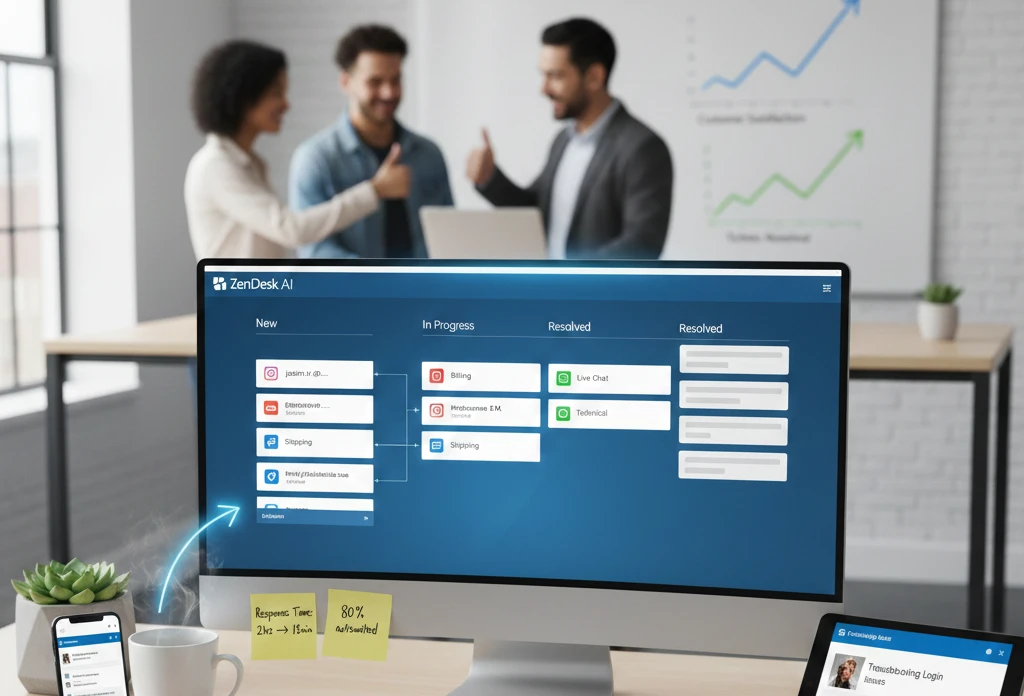
AI ticketing systems like Zendesk can automate up to 80 percent of customer interactions Amra & Elma, which means 8 out of 10 support requests your team currently handles manually could be resolved automatically.
Here’s what that actually means in dollars. If your support team spends 30 hours weekly on repetitive questions like “Where’s my order?” or “How do I reset my password?” and you automate 80% of that, you’re saving 24 hours weekly. That’s $30,000 to $40,000 annually in labor costs for a small team.
Which AI Ticket Management System You Should Actually Use
The market has dozens of options. Most small businesses waste weeks comparing features they’ll never use. Here’s what actually matters.
If you’re a service-based business with 1-5 support staff: Use Zoho Desk.
Zoho Desk stands out as one of the most budget-friendly helpdesk software for small business options in 2025 and serves over 33 million people daily inBeat Agency.
The reason Zoho works for small service businesses is simple: it’s affordable without being limited. The entry plan starts at $14 per agent monthly. Zoho Desk has Zia, a contextual AI assistant that gives instant answers from your knowledge base inBeat Agency.
Here’s the practical application. You’re a digital marketing agency with three account managers. Currently, they spend 2-3 hours daily answering client questions via email—”When will the report be ready?” “Can you send last month’s metrics?” “How do I access the dashboard?”
With Zoho Desk, you set up:
A shared inbox where all client emails land. Zia AI automatically tags each email by type—billing question, report request, technical issue, general inquiry. Zia can quickly identify customer sentiments right at the moment when a ticket is raised, allowing customer service agents to get better context and personalize experiences from the start inBeat Agency.
When a client asks “Where’s my report?” Zia pulls the answer from your knowledge base and auto-responds: “Your monthly report is generated on the 5th of each month. You’ll receive it via email by end of day tomorrow.”
Your account managers only handle tickets Zia can’t resolve—which is typically complex questions requiring human judgment.
If you’re e-commerce with growing support volume: Use Freshdesk.
Freshdesk’s AI-powered ticketing system empowers your team so they can act faster, work happier, and stay focused on delivering amazing customer support Column.
Freshdesk excels at handling high volumes of similar questions. Freshdesk’s Free plan is designed for small teams of up to two users, and the plan includes all of the basics, such as ticketing, knowledge base, and pre-built reports Column.
The practical setup for an e-commerce store looks like this:
You’re selling handmade products online. You get 50-80 support requests daily. Half are “Where’s my order?” The rest split between product questions, return requests, and billing issues.
Install Freshdesk. Connect it to your email, Instagram, Facebook, and live chat. Every message from every channel becomes a ticket in one unified inbox.
Freshdesk’s Freddy AI learns from your past responses. When someone asks about shipping times, it automatically replies with your standard shipping policy. When someone asks about returns, it sends your return policy and a pre-paid shipping label link.
The AI handles 60-70% of incoming requests automatically. Your human team focuses on the 30-40% that need personal attention—damaged products, custom orders, complex issues.
If you need enterprise features on a small budget: Use Help Scout.
Help Scout provides a unified system for managing customer support across multiple channels Archive.
Help Scout works differently than Zoho or Freshdesk. Help Scout’s AI features are trained on your data — help center articles, previous replies to customers, and even your websites — to ensure that anything it produces is both accurate and on brand Archive.
This matters when brand voice is critical. If you’re a boutique law firm, accounting practice, or consulting company, you can’t have AI sending robotic responses that sound like they came from a chatbot.
Help Scout’s AI Summarize feature is particularly useful for complex support threads. AI Summarize condenses lengthy back-and-forth conversations into concise bullet points with just a click Archive.
Here’s the use case: A client has been emailing back and forth with your team for two weeks about a complex project. There are 23 emails in the thread. A new team member needs to jump in and help. Instead of reading all 23 emails, they click “AI Summarize” and get a 4-bullet summary of the situation, what’s been tried, and what the client needs next.
If you’re already using Microsoft Teams: Use Desk365.
Most small businesses overlook this option, but if your team lives in Microsoft Teams, integrating your ticketing system directly into Teams eliminates context switching.
Desk365 works entirely within Teams. Support requests come in as tickets inside Teams channels. Your team responds without leaving Teams. All your collaboration happens in one place.
How to Actually Set Up Your AI Ticketing System
Most businesses buy a ticketing system, spend two hours setting it up, get frustrated, and abandon it. Here’s the implementation that actually works.
Week 1: Connect your channels and import existing data.
Don’t try to do everything at once. Start with email. If you’re using Zoho Desk, Freshdesk, or Help Scout, connecting your support email takes 10 minutes.
Go to Settings → Channels → Email. Enter your support@yourcompany.com credentials. The system starts pulling in emails automatically.
If you have historical support emails, import them. This gives the AI training data. The more past conversations it analyzes, the better it gets at understanding your business.
Week 2: Build your knowledge base.
This is the part most people skip, and it’s why their AI fails. Knowledge base empowers customers to find answers independently, reducing support requests by up to 43% Toptal.
Your knowledge base doesn’t need to be perfect. Start with the top 10 questions you answer repeatedly.
For e-commerce:
- How long does shipping take?
- What’s your return policy?
- How do I track my order?
- What payment methods do you accept?
- How do I change my shipping address?
For service businesses:
- How do I access my account?
- How do I reset my password?
- What’s included in each service tier?
- How do I schedule a meeting?
- What are your business hours?
Write 3-5 sentence answers for each. No need for lengthy articles at this stage. Just clear, direct answers.
Week 3: Set up automation rules.
This is where AI ticketing systems save massive time.
In Zoho Desk or Freshdesk, go to Automation → Workflows. Create rules like:
If ticket contains “refund” → Tag as “Billing” → Assign to billing team → Set priority to High
If ticket contains “where is my order” → Auto-reply with tracking link → Tag as “Shipping” → Close ticket if tracking shows delivered
If ticket contains “how do I” → Search knowledge base → Send relevant article → Ask “Did this answer your question?”
Using AI, modern ticketing systems can instantly sort each incoming ticket into a category, determine the priority level, and route it to the right agent Storychief.
Week 4: Train your team and go live.
Don’t launch to customers until your team understands the system. Spend 2 hours in a team meeting showing everyone:
- Where tickets appear
- How to claim a ticket
- How to respond
- How to use AI suggestions
- When to override AI and respond manually
Then flip the switch. Start routing all customer inquiries through the system.
The Benefits You’ll Actually See (With Real Numbers)
Generic benefit lists are useless. Here’s what changes in your actual operations.
Response time drops 60-75%.
Before AI ticketing: Customer emails at 2pm. Someone checks the inbox at 5pm. They respond next morning at 9am. Total response time: 19 hours.
After AI ticketing: Customer emails at 2pm. AI categorizes it instantly. If it’s a common question, AI responds in 30 seconds. If it needs human review, it routes to the right person with priority flagged. They respond within 2 hours. Total response time: 2 hours.
Leading automated ticketing and request management systems come with AI agents that can independently resolve customer inquiries Amra & Elma.
Agent productivity increases 40-50%.
Your support team currently handles 15-20 tickets daily. With AI handling repetitive questions, they handle 25-30 tickets daily—but they’re more complex tickets that actually require human problem-solving.
Work becomes more engaging because they’re not typing the same answers 50 times daily. AI ticketing systems are designed to enhance and support customer service teams, transforming their roles and helping to reduce burnout Avaans Media.
Customer satisfaction improves measurably.
When you track CSAT scores (customer satisfaction scores), you’ll see improvement within 30-60 days of implementing AI ticketing.
Why? Because instant responses make customers happy. According to the Zendesk Customer Experience Trends Report, 51 percent of consumers prefer interacting with bots over humans for immediate assistance Lead Forensics.
People don’t care if a bot or a human answers their simple question. They care that they got an answer in 2 minutes instead of 2 days.
You’ll identify patterns you couldn’t see before.
AI-powered reporting software can analyze large volumes of data, uncover patterns, and generate valuable insights for data-driven decisions Merca20.
After three months of using an AI ticketing system, you can run reports showing:
- Which products generate the most support requests (indicates quality issues)
- Which questions are asked most frequently (indicates gaps in your product documentation)
- Which team members resolve tickets fastest (identifies training opportunities)
- Which channels customers prefer (helps you allocate resources)
Before ticketing systems, this data was invisible. Now it’s actionable.
Which Business Types Benefit Most From AI Ticketing
Not every business needs the same features. Here’s the breakdown by industry.
E-commerce and retail businesses need:
Order tracking automation. When a customer submits a request about orders, the system can automatically retrieve order details and status information, determine if issues require human intervention or can be resolved automatically, and provide agents with customer purchase history and preferences Merca20.
This is critical for e-commerce because 40-50% of support tickets are order status questions. Without automation, your team wastes hours manually looking up tracking numbers and copying them into emails.
With AI ticketing, the system integrates with your Shopify, WooCommerce, or custom e-commerce platform. When a customer emails “Where’s my order?” the AI pulls their order history, finds the tracking number, and responds with current shipping status—all in under 10 seconds.
SaaS and technology companies need:
Technical issue routing based on complexity. Not all technical problems are equal. “How do I reset my password?” is simple. “Your API is returning 500 errors when I POST to /users endpoint” requires an engineer.
AI ticketing systems analyze the technical language in tickets. Modern AI ticket management systems use natural language processing (NLP) and machine learning algorithms to accurately interpret and categorize customer queries Bynder.
Technical tickets get routed to your dev team. Simple questions get answered by AI using your documentation.
Professional services (law, accounting, consulting) need:
Client history integration and confidential handling. When a client emails you, you need to see their entire relationship history—past projects, open invoices, upcoming deadlines.
Systems like Help Scout or Zoho Desk integrate with your CRM. When a ticket comes in, it pulls the client’s full profile. Your team sees everything relevant without switching to another system.
Also critical: data security. As with any system, it’s important to make sure the data that’s gathered is handled responsibly and with close attention to industry standards and regulations Storychief.
Make sure your ticketing system is GDPR-compliant, HIPAA-compliant if you’re in healthcare, and offers encryption for sensitive data.
Educational institutions need:
High-volume handling during peak times. Educational institutions manage a high volume of inquiries from students, faculty, and staff. AI ticketing systems can be integrated with existing platforms to access data across departments and deliver real-time support Merca20.
During registration periods, you might get 500+ support requests daily. During normal periods, maybe 50 daily.
AI ticketing scales instantly. AI systems allow businesses to meet higher support volumes and scale up or down as needed. For example, you can use an AI bot during busy seasons to handle the extra tickets rather than hiring a temporary support team Lead Forensics.
Service businesses (agencies, contractors, freelancers) need:
Project-based ticket organization. When you’re managing 20 active client projects, support requests need to be organized by project, not just by client.
Zoho Desk allows departmental customization. You can set up separate “departments” for each major client or project type, with custom fields capturing project-specific information.
The Features That Actually Matter (And The Ones You Can Ignore)
Ticketing system vendors list 100+ features. Most are irrelevant for small businesses. Here’s what actually impacts your daily operations.
Unified inbox: Non-negotiable.
Shared inbox organizes all customer conversations in one place, making it easy for teams to prioritize and respond faster and prevent duplicate replies Toptal.
If your ticketing system doesn’t unify email, chat, social media, and phone into one interface, don’t use it. Context switching between platforms kills productivity.
AI-powered tagging and routing: Essential.
Manual ticket assignment wastes 10-15 minutes per ticket. AI does it in seconds and more accurately.
Canned responses with AI enhancement: High value.
You’ll use the same answers repeatedly. Canned responses let you insert pre-written replies with one click. AI enhancement means the system suggests which canned response fits each ticket.
Knowledge base integration: Critical for scaling.
If your AI can’t pull answers from your knowledge base, it’s useless. This is what enables automation of simple questions.
Analytics and reporting: Important for optimization.
You need to track response time, resolution time, ticket volume by category, and agent performance. Basic dashboards are fine. You don’t need advanced BI tools unless you’re enterprise-scale.
Features you can skip:
Multi-brand support (unless you actually run multiple brands). Advanced SLA management (overkill for small teams). Custom apps and API access (only needed if you’re building custom integrations). Phone system integration (unless phone support is a major channel for you).
How Much This Actually Costs
Pricing varies wildly. Here’s what you’ll actually pay.
Zoho Desk:
Free plan for up to 3 agents (limited features) Standard plan: $14/agent/month Professional plan: $23/agent/month Enterprise plan: $40/agent/month
For a 5-person support team on Professional plan: $115 monthly or $1,380 annually.
Freshdesk:
Free plan for unlimited agents (very limited features) Growth plan: $15/agent/month Pro plan: $49/agent/month Enterprise plan: $79/agent/month
For a 5-person team on Growth plan: $75 monthly or $900 annually.
Help Scout:
Standard plan: $20/agent/month Plus plan: $40/agent/month Pro plan: $65/agent/month
For a 5-person team on Standard plan: $100 monthly or $1,200 annually.
The ROI calculation:
Let’s say you’re paying $1,200 annually for Help Scout’s Standard plan (5 agents).
Before ticketing system: Your team spends 40% of time on repetitive questions. That’s 80 hours weekly across 5 people (assuming 40-hour weeks). At $20/hour average support wage, that’s $1,600 weekly or $83,200 annually spent on repetitive work.
After AI ticketing: AI handles 60% of repetitive questions. You’re saving 48 hours weekly. That’s $960 weekly or $49,920 annually in labor savings.
Your $1,200 annual investment saves you $49,920 in labor costs. ROI is 4,060%.
Even if the actual savings is only 20% due to implementation inefficiencies, you’re still saving $16,640 annually on a $1,200 investment. ROI: 1,287%.
The Implementation Mistakes That Kill Adoption
Most businesses fail at ticketing systems not because of the technology, but because of implementation mistakes.
Mistake 1: Not cleaning up your inbox first.
If you have 3,000 unread emails in your support inbox, importing them into a ticketing system creates 3,000 open tickets. Your team is instantly overwhelmed.
Before implementing, either clear out old tickets or start fresh with new tickets only. Archive everything older than 30 days.
Mistake 2: Skipping the knowledge base.
It’s essential to have diverse sets of data so that the system can deliver accurate results based on a wide range of complex issues Storychief.
AI needs training data. If you don’t build a knowledge base, the AI has nothing to learn from. It defaults to escalating everything to humans, which defeats the purpose.
Mistake 3: Not training your team.
Your team needs to understand how to work with AI, not against it. Show them how to review AI suggestions, when to override them, and how to flag incorrect AI responses for retraining.
Mistake 4: Setting unrealistic expectations.
While AI can significantly improve efficiency and response times, the human touch remains essential for many customer interactions, especially those involving emotional or highly specific concerns Avaans Media.
AI won’t replace your support team. It won’t solve every problem. It will handle repetitive questions and route complex ones to humans faster. Set expectations accordingly.
Mistake 5: Not monitoring performance.
Monitor AI performance and improve over time by setting goals and tracking AI efficiency, response accuracy, and customer satisfaction Avaans Media.
Check your AI accuracy weekly for the first month, then monthly after that. If AI is giving wrong answers, update your knowledge base. If it’s misrouting tickets, adjust your automation rules.
What Actually Changes In Your Daily Operations
Here’s what your day looks like before and after implementing AI ticketing.
Before:
8:30 AM – Open email. 47 new support requests overnight. 8:35 AM – Start responding to tickets in order received, regardless of urgency. 10:00 AM – Realize you answered the same question about shipping 6 times. 11:30 AM – Customer calls asking about email they sent 3 days ago. Search inbox for 10 minutes trying to find it. Turns out coworker already answered it but didn’t tell you. 2:00 PM – Instagram DM comes in. You see it 4 hours later because you don’t check Instagram constantly. 5:00 PM – Still 23 unanswered tickets. They’ll wait until tomorrow.
After:
8:30 AM – Open ticketing dashboard. AI handled 31 of 47 overnight tickets automatically. 16 need human review. 8:35 AM – Dashboard shows 3 urgent tickets (angry customers, billing issues). You handle those first. 9:00 AM – AI handled all shipping questions automatically by sending tracking links. 9:15 AM – Instagram DM comes in. Automatically converts to ticket. AI flags it as “product question” and suggests relevant knowledge base article. You review, approve, and it’s answered within 5 minutes. 11:00 AM – Customer emails about a complex technical issue. AI couldn’t answer it, so it routed to your technical team member with full customer history attached. They resolve it in 20 minutes instead of spending 20 minutes finding the customer’s information first. 3:00 PM – All urgent tickets resolved. You spend remaining time on process improvements instead of repetitive answering.
That’s the actual difference.
The Bottom Line On AI Ticketing For Small Businesses
If you’re handling more than 20 support requests weekly, you need an AI ticketing system. The cost is negligible compared to the time savings and customer satisfaction improvements.
Start with Zoho Desk if you’re budget-conscious and need solid AI features. Choose Freshdesk if you’re e-commerce with high volumes. Go with Help Scout if brand voice and quality matter more than automation volume.
Implement it properly—build your knowledge base, set up automation rules, train your team. Give it 90 days before judging results.
Track response time, resolution time, and customer satisfaction scores. You should see measurable improvement within 60 days.
The businesses that win with AI ticketing aren’t the ones with the most sophisticated setups. They’re the ones that implement consistently, monitor performance, and continuously improve their knowledge base and automation rules.
Start this week. Not next month. Every day you delay is another day of wasted time answering the same questions manually.
Some Related Post:
- Business Adaptation: Global enterprises are reshaping strategies to remain competitive — explore more in Business.
- Technology Backbone: Fintech innovations and blockchain are driving change. Learn more at Technology.
- Marketing in Finance: Customer trust and engagement are critical in financial services. See strategies in Marketing.
- Financial Transformation: AI is redefining investments, risk management, and global markets. Dive deeper in Finance.
- AI Business Automation: From fraud detection to smart contracts, automation is revolutionizing finance. Discover practical applications in AI Business Automation.
- Artificial Intelligence Insights: Ethical AI, predictive analytics, and machine learning are shaping the financial future. Explore more in Artificial Intelligence.