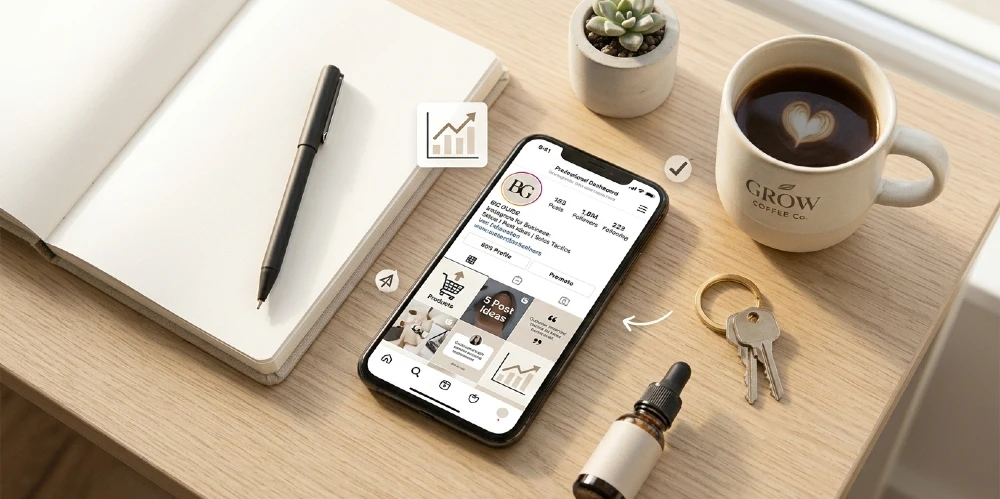
Instagram for Business: How to Set It Up, What to Post, and How to Actually Get Customers From It
Most businesses on Instagram are doing the same thing — posting inconsistently, getting 40 likes from their existing followers, and wondering why it is not converting into sales. The account is active, the photos look decent, but nothing is happening.
Instagram works for business. But it works on its own terms. It rewards specific content formats, punishes others, and the organic reach rules changed significantly in 2023 and 2024. What worked three years ago — posting polished product photos three times a week — now generates almost zero distribution to new audiences. Reels changed everything, and the businesses that understood that early are pulling ahead of the ones still posting static images and wondering why engagement dropped.
This guide covers the complete picture: how to set up a Business account correctly, how to optimize your profile so it converts visitors, which content formats actually get reach in 2025, how to build a content strategy that moves someone from stranger to customer, and how to use Instagram’s paid tools when organic is not enough. No generic advice. Everything here is specific, actionable, and based on what actually works right now.
Quick Answers: Instagram for Business
| Question | Direct Answer |
| How do I get an Instagram Business account? | Go to Settings in your existing Instagram account, tap Account, then Switch to Professional Account. Choose Business. It is free and takes under 2 minutes. |
| Do I need a Facebook Page to use Instagram for Business? | Not strictly required to create the account, but strongly recommended. Connecting to a Facebook Page unlocks ad management, Instagram Shopping, and cross-platform tools. |
| What does an Instagram Business account give me that a personal account does not? | Contact buttons (call, email, directions), Instagram Insights (analytics), ad creation, Instagram Shopping, the ability to schedule posts via third-party tools, and category label display on your profile. |
| Is Reels or Feed better for reaching new people? | Reels — by a significant margin. Instagram’s algorithm heavily prioritizes Reels for distribution to non-followers. Static posts mostly reach people who already follow you. |
| How often should a business post on Instagram? | 3–5 times per week is the practical range. Consistency matters more than frequency. Three consistent posts per week outperforms seven erratic ones. |
| Does Instagram have a free way to sell products? | Yes — Instagram Shopping lets you tag products in posts and Reels. Free to set up but requires a Facebook/Meta Commerce Manager account and product catalog approval. |
| How long does it take to see results from Instagram for business? | Organic growth typically takes 3–6 months of consistent effort before meaningful results. Paid ads can generate results within days but stop the moment you stop spending. |
| What is the link in bio problem? | Instagram does not allow clickable links inside post captions — only in the bio. Tools like Linktree or Later’s Link in Bio let you create a mini landing page behind that single bio link. |
Setting Up an Instagram Business Account: The Right Way vs. the Fast Way
There is a difference between having an Instagram Business account and having one that is set up to work. Most people do the fast version — switch to Business, add a bio, start posting. That leaves several important features either disabled or misconfigured.
Step 1: Switch to a Business Account or Create a New One
If you already have a personal Instagram with followers, switch it — do not start a new account from scratch. Your existing followers carry over and your post history stays intact.
To switch: Open Instagram, tap your profile picture in the bottom right, tap the three lines (hamburger menu) in the top right, go to Settings and Privacy, then Account, then Switch to Professional Account. Instagram will offer two options: Creator and Business. Choose Business if you are a company, store, service provider, or brand. Creator is for individual influencers and content personalities — it has slightly different features and analytics.
If you are starting fresh with no existing account, create a new one specifically for the business. Use the business name as the username if available. Do not use your personal name unless your personal brand IS the business.
Content Marketing Trust → “Build lasting brand trust through consistent Instagram storytelling—learn the content marketing strategies that convert followers into loyal customers.”
Step 2: Connect to a Facebook Page — Do Not Skip This
When prompted to connect a Facebook Page, do it. If you do not have a Facebook Business Page yet, create one — it takes five minutes at facebook.com/pages/create and you do not need to actively use Facebook.
Why this matters: Instagram and Facebook advertising run through Meta Ads Manager, which requires a connected Facebook Page. Instagram Shopping requires a Facebook Commerce Manager account linked to a Page. Cross-posting and scheduling tools work better with the connection active. And Meta’s attribution tracking — knowing which Instagram interactions led to a purchase — needs both platforms linked.
The businesses that skip this step hit a wall the moment they try to run their first ad or set up product tagging. Doing it at setup takes five minutes. Doing it later, after you have already built the account, sometimes creates linking issues that require Meta support to untangle.
Step 3: Fill In Every Business Detail — Not Just the Bio
After switching, go to Edit Profile. Here is what each field does and why it matters:
| Profile Field | What to Know and What to Do |
| Profile photo | Use your logo if you are a brand, a professional headshot if you are a personal brand. It displays at 110x110px in the app but is stored at 320x320px — use a high-res image. Avoid text in the profile photo — it becomes unreadable at small sizes. |
| Name field (bold name under photo) | This is searchable. Put your business name here exactly as you want it found. You have 30 characters. Do not waste it on a tagline — that goes in the bio. |
| Username (@handle) | Keep it consistent with your other platforms if possible. Under 30 characters, no spaces. Changing it later breaks any links that used the old one. |
| Bio | 150 characters. This is your conversion copy, not your company description. Answer: what do you do, who is it for, and what should they do next. More on bio optimization in the next section. |
| Website / Link | This is the only clickable link on your profile. Use a link-in-bio tool (Later, Linktree, Beacons) to make it a multi-destination page rather than sending everyone to your homepage. |
| Category | Choose the most specific category that describes your business. This displays under your name and helps Instagram classify your content for distribution. |
| Contact info (email, phone, address) | Add all that apply. These create action buttons on your profile. A ‘Call’ button or ‘Email’ button reduces friction for potential customers to contact you. |
| Action buttons | If you take appointments, bookings, or reservations, connect a booking tool here. Instagram has native integrations with OpenTable, Booksy, StyleSeat, and others. |
Your Instagram Bio Is a Landing Page — Treat It Like One
The Instagram bio is 150 characters. Most business bios waste them describing what the company is instead of telling the visitor what to do next. A profile visitor made a decision to click on you — the bio’s job is to convert that curiosity into a follow, a click, or a DM.
The Bio Formula That Actually Converts
Line 1: What you do and who it is for. Be specific. ‘Wedding photography in Nashville’ is better than ‘Capturing life’s moments.’ The specific version tells the right person immediately that this is for them.
Line 2: What makes you different or what outcome you deliver. ‘Same-day edits. Online booking open.’ ‘Free shipping on all US orders.’ ‘Helped 500+ businesses grow on Instagram.’ Something concrete.
Line 3: The call to action pointing to your link. ‘Shop new arrivals below.’ ‘Book a free call.’ ‘Download the free guide.’ Tell them exactly what to do with the link you are about to give them.
Optional: Add an emoji at the start of each line for visual separation — they work as bullet points in the bio format. Do not overdo it. Two or three maximum.
Online Business Ideas → “Instagram shops drive 40% of new customer acquisition for digital-first brands. Explore low-capital online business models that leverage social commerce.”
Stop Sending Everyone to Your Homepage
The homepage is where people go when they already know you. Instagram visitors are usually at the awareness or consideration stage — they need to be directed to something specific.
Use a link-in-bio tool to create a page with multiple destinations. Later (later.com/link-in-bio) is free and integrates directly with Instagram. Linktree (linktr.ee) is the most widely known. Beacons.ai is popular for creator-style businesses. All of them let you create a simple page with multiple buttons pointing to your most important destinations.
What to put on your link-in-bio page: your current promotion or newest product, your most visited service page, a booking or contact link, your most recent blog post or lead magnet if you use content marketing, and your other social platforms if cross-platform following matters to you. Update it when you run a campaign — a Reel that mentions ‘link in bio’ should point to something specific, not a generic homepage.
Instagram Story Highlights: Your Profile’s Permanent Sales Tools
Story Highlights are the circles that sit permanently on your profile above your feed. They do not expire like regular Stories. Most businesses either leave them empty or use them as a random archive. The smarter approach is to treat them as navigational tabs for your profile.
- Create a highlight called ‘Start Here’ or ‘About Us’ — a quick introduction to your business for new visitors
- Create a highlight for your most popular product or service category
- Create a highlight for testimonials and social proof — screenshots of reviews, customer tags, before/after results
- Create a highlight for your current promotion or most time-sensitive offer
- If you sell products, a ‘Best Sellers’ highlight that shows the top items with swipe-up links (if you have 10k+ followers or a verified account) or ‘DM for link’
Cover images for each highlight should be consistent — same color palette, same icon style. A disorganized highlight row signals a disorganized business to a first-time profile visitor. Canva has free highlight cover templates that take ten minutes to customize.
Instagram Content Formats in 2025: What Gets Reach and What Does Not
Instagram has four main content formats: Reels, Carousels, static single-image posts, and Stories. Each one behaves differently in the algorithm and serves a different purpose. Treating them all the same is the most common strategic mistake businesses make.
AI in Business → “Automate Instagram DM responses and comment moderation with AI business tools that maintain authentic brand voice 24/7.”
Reels: The Primary Distribution Engine for New Audiences
Reels are short videos — up to 90 seconds for most users, with some accounts having access to longer formats. Instagram’s algorithm actively distributes Reels to non-followers on the Explore page and in the Reels tab. This is the primary way to reach people who have never heard of your business.
What makes a Reel reach new people: the first 1–3 seconds determine whether someone keeps watching or scrolls past. Start with the most interesting or provocative moment — the result, the reveal, the surprising fact — not the setup. Instagram measures ‘watch time’ and ‘replays’ heavily. A Reel that gets rewatched twice will get significantly more distribution than one that people watch halfway and abandon.
For businesses, the highest-performing Reel categories are: process/behind-the-scenes content (how the product is made, how the service works), before/after transformations, quick tips or educational content in your area of expertise, and content that addresses a common misconception or mistake your target customer makes.
What not to do with Reels: Do not film in landscape mode — Reels are 9:16 vertical format, always. Do not add a watermark from TikTok (Instagram actively suppresses reposts from TikTok with the TikTok watermark visible). Do not post a Reel with no caption — the caption helps Instagram categorize your content and adds searchability. And do not post without adding relevant audio — either original audio, trending sounds, or licensed music from Instagram’s library.
Carousels: The Best Format for Saves and Shares
A carousel is a multi-image or multi-slide post — up to 10 slides that the viewer swipes through. Carousels consistently outperform single static images for engagement, specifically for saves and shares, which are the engagement signals that most directly influence content distribution.
Why saves and shares matter more than likes: a like is a passive, one-second interaction. A save means ‘I want to come back to this’ — it signals genuinely useful content. A share means ‘I want someone else to see this’ — it directly extends your reach. Instagram’s algorithm weighs saves and shares much more heavily than likes or even comments in its distribution decisions.
The most effective carousel formats for businesses: educational step-by-step guides (people swipe through to get the full value), product showcases that show multiple angles or variations, comparison posts (before/after, option A vs. option B), social proof compilations (multiple testimonials or results in one post), and list-based content (‘5 mistakes most businesses make with Instagram’).
First slide matters most — it functions like a headline. If the first slide does not create curiosity or communicate clear value, the viewer never swipes to slide two. Write the first slide as if it is a title of an article people would actually want to read.
Static Single Images: Low Reach, High Value for Existing Followers
Single static images have the lowest organic reach of any content format on Instagram right now. Instagram openly deprioritizes them in the feed for non-followers. They still serve a purpose — keeping your existing audience engaged, establishing your visual brand aesthetic, and making your grid look intentional when someone lands on your profile.
Use static images for: product photography that belongs on your grid permanently, announcements that do not benefit from video, event promotions where a clean graphic communicates better than a video, and team/culture content. The goal with static images is follower retention and profile aesthetic, not reach expansion.
Stories: The Daily Relationship Format
Stories disappear after 24 hours and primarily reach your existing followers, not new audiences. Their purpose is relationship maintenance and conversion — not growth.
Stories work best for: daily or frequent check-ins that would feel too frequent in the main feed, behind-the-scenes moments that feel more casual and authentic, limited-time offers and urgency-based promotions, polls and question boxes that generate engagement and DMs, and driving people to specific actions (swipe up for link, DM for details, tap to book).
The common mistake: businesses use Stories as a broadcast channel and post the same promotional content they put in the feed. Stories that get tapped through quickly (viewers skipping without watching) are a signal to Instagram that the content is low value and can result in Stories being shown to fewer followers over time. Stories should feel like a conversation with people who already know you, not an ad.
Instagram Live: Underused and Worth Testing
Instagram Live notifies your followers when you go live — giving it a unique reach advantage over other formats. Instagram also sometimes promotes active Lives in the app. Despite this, most businesses never use it.
Live works well for: product launches and Q&As, weekly educational sessions that build a habit of watching, behind-the-scenes tours, interviews with other creators or experts in adjacent spaces, and flash sales with a real-time countdown. The barrier is psychological — going live feels scarier than posting an edited Reel. But the raw, unedited nature of Live is exactly what makes it build trust faster than polished content.
Content Strategy: What to Post, How Often, and How to Plan It
Posting randomly is the most common reason business Instagram accounts stall. Random posting means random results. The businesses that consistently grow on Instagram follow a content framework — not rigidly, but as a structure that ensures they are covering the right mix of content types without having to reinvent the wheel every week.
The 60/20/20 Content Mix
60% value content. These are posts that genuinely help, entertain, or inform your target audience without selling anything. Tips, tutorials, behind-the-scenes, educational content, industry insights. This is what makes people follow you and come back.
20% social proof content. Testimonials, customer results, case studies, before/after, user-generated content. This is what makes people trust you and take the first step. Do not skip this category — businesses that only post value content without social proof create informational resources that people consume without ever buying.
20% promotional content. Direct offers, product features, service packages, limited-time deals, calls to action to buy or book. This is what makes you money. Keep it at 20% — more than that and your account starts to feel like an ad, which drives unfollows and reduces the reach of all your content.
Posting Frequency: The Honest Answer
| Frequency | What It Looks Like in Practice | Assessment |
| 3x per week | Minimum for meaningful growth. One Reel, one carousel, one Story series. Sustainable for most small businesses. | Good |
| 5x per week | Stronger growth trajectory. Mix of 2 Reels, 2 carousels or statics, daily Stories. Requires planning or a content calendar. | Better |
| Daily | Maximum organic reach potential but high content burnout risk. Only sustainable with a dedicated person or team. | Only if resourced |
| 1x per week or less | Minimal growth. Algorithm deprioritizes accounts that post infrequently. Mainly useful for brand presence rather than growth. | Maintenance only |
| Posting bursts (5 in a day, then nothing for a week) | Actively harmful. Algorithm reads this as spam behavior and reduces distribution. Never do this. | Avoid |
When to Post: The Time Zone Reality
The best time to post is when your specific audience is most active — not a universal ‘best time’ that applies to everyone. Check Instagram Insights under Audience to see the hours and days your followers are most active online.
General patterns if you are starting from scratch with no data: for B2C (consumer products and services), weekdays between 11 AM and 2 PM and 7 PM to 9 PM in your audience’s time zone tend to perform well. For B2B, Tuesday through Thursday between 8 AM and 10 AM tends to be stronger. Saturday mornings are consistently strong for lifestyle, food, and fitness businesses.
For Reels specifically, posting time matters less than for feed posts. Because Reels are actively distributed to non-followers over days and sometimes weeks, a Reel posted Thursday afternoon can still be getting significant views the following Monday. Do not obsess over Reel timing — obsess over the first three seconds and the watch time.
Content Batching: How to Plan a Month of Content in One Day
The businesses that post consistently without burning out use content batching — producing multiple pieces of content in a single dedicated session rather than creating something new each day.
A practical monthly batch session: Pick one day per month, block 3–4 hours. Film all Reels for the month in one shooting session — change your outfit or backdrop between videos so they look like separate days. Write all carousel copy and create all graphics in one sitting using Canva or similar. Schedule everything using a scheduling tool (Later, Buffer, or Meta Business Suite which is free). Then Stories can be spontaneous and in-the-moment throughout the month — they do not need to be batched because their real-time authenticity is the point.
The biggest content batching mistake: filming everything in the same location with the same lighting in the same outfit and spacing the posts out over a month. Viewers can tell. Change something between each video — angle, background, outfit, time of day — so each Reel feels like a distinct piece of content rather than footage from one shooting session.
Instagram Reels Strategy: How to Make Content That Reaches New People
Because Reels are the primary growth engine, they deserve a deeper breakdown than a general content section can provide. Here is exactly what goes into a Reel that actually gets distributed.
The Reel Structure That Gets Watched
- Hook (0–3 seconds): The single most important element. Say or show the most interesting thing first. Examples: ‘I spent $10,000 testing Instagram ads so you do not have to.’ ‘This one change doubled our sales in 30 days.’ ‘Most businesses do this wrong.’ The hook creates a reason to keep watching.
- Setup (3–15 seconds): Quickly establish the context. What problem are you solving? What are you about to show them? Do not overload this section — keep it brief enough to maintain the momentum from the hook.
- Value delivery (15–60 seconds): The actual content. Steps, the transformation, the tip, the result. Make this specific and visual. Show, do not just tell.
- Call to action (last 3–5 seconds): Tell them what to do next. ‘Follow for more.’ ‘Save this.’ ‘Comment your question below.’ ‘Link in bio for the full guide.’ One clear CTA, not three.
The most common Reel mistake is front-loading the setup and burying the interesting part. If your Reel starts with ‘Hi guys, welcome back, today I want to talk about…’ — you have already lost 70% of your viewers. They are gone before you get to the point. Start with the point.
Budget Planning → “Track your Instagram ad spend against actual revenue with budget planning frameworks that prevent cash flow disasters.
Audio and Music: What Instagram’s Algorithm Actually Rewards
Reels with audio consistently outperform silent Reels. Instagram’s algorithm does give a mild boost to Reels that use trending audio — but only a mild one, and the definition of ‘trending’ is local to your audience’s demographic and location. Chasing trending sounds constantly is a time-consuming strategy with diminishing returns.
More reliable approach: use royalty-free or licensed music from Instagram’s built-in music library as a background layer, add your own voice narration or on-screen text as the primary content. This hybrid approach works better than either pure music or pure silence. Instagram’s audio library is accessed directly in the Reels editor — search by mood, genre, or tempo.
Original audio is underrated. When you create a Reel with your own voiceover or unique audio, that audio can be saved and used by others. If another creator uses your audio in their Reel, your profile gets attributed. Some business accounts have gotten significant follower growth not from their own Reels but from others using their audio — a completely passive distribution effect.
Hashtags on Reels: What Actually Works in 2025
Hashtag strategy on Instagram changed significantly in 2022 and 2023. Instagram’s head of Instagram, Adam Mosseri, has said directly that hashtags are not a major distribution driver — they are primarily for categorization. The algorithm now relies more on content analysis, watch time, and account interest graphs than on hashtags.
Practical approach: use 3–5 highly specific, medium-volume hashtags rather than 30 generic mega-hashtags. A Reel from a Nashville bakery using #NashvilleBakery, #NashvilleFood, and #BreadBaking will perform better than one using #Food, #Baking, and #Delicious — because the specific hashtags put you in front of a relevant niche audience rather than an ocean of unrelated content.
Never use banned hashtags. Some hashtags have been restricted by Instagram due to policy violations. Using a banned hashtag can suppress the distribution of your entire post. Before using any new hashtag, search it on Instagram — if the posts section shows ‘Recent posts are hidden’ or similar language, the hashtag is restricted. Avoid it.
Instagram Shopping: Turning Your Profile Into a Storefront
Instagram Shopping allows product-based businesses to tag products directly in posts, Reels, and Stories. Tapping the tag shows the product name, price, and a button to purchase or learn more. For e-commerce businesses, this is one of the highest-value features Instagram offers — and many businesses with physical or online product lines have it set up incorrectly or not at all.
How to Set Up Instagram Shopping
- Make sure you have a Facebook Business Page and an Instagram Business account — both required.
- Go to Meta Commerce Manager at business.facebook.com/commerce and create a Commerce Account.
- Build your product catalog. You can do this manually for small catalogs, import from a spreadsheet, or use an automatic feed from your e-commerce platform. Shopify, WooCommerce, BigCommerce, and most major platforms have a direct Meta Catalog integration. Connect it and your product catalog syncs automatically whenever you update products in your store.
- Submit for Instagram Shopping review. Meta reviews your account and catalog against their Commerce Policies. Common rejection reasons: product catalog is incomplete (missing prices, descriptions, or images), website is not functional or does not have required pages (Privacy Policy, Return Policy, Contact page), or the product category is in a restricted class.
- Once approved, go to Instagram Settings, then Business, then Shopping. Connect your catalog. You are now able to tag products.
- In any new post or Reel, tap Tag Products before publishing and select the relevant items from your catalog. Do this for all new posts going forward and for your most important existing posts.
Instagram Shopping Mistakes That Kill Sales
- Not completing the catalog: Products with missing images, unclear descriptions, or no price will be skipped by shoppers even if they tap a tag. Treat your Instagram catalog with the same care as your website product pages.
- Tagging irrelevant products: If a post shows your team at an event and you tag five unrelated products, it feels spammy and reduces trust. Only tag products that are literally in the post.
- Not using Shopping in Reels: Product tagging in Reels is severely underused. A Reel showing your product in use, with a product tag, creates a direct path from discovery to purchase in a single piece of content. This is the highest-converting combination Instagram currently offers for product businesses.
- Relying on Instagram Checkout without awareness: Instagram Checkout (in-app purchasing) is available in the US and takes a transaction fee. Many businesses do not realize Meta takes a fee on Instagram Checkout sales. For businesses with thin margins, directing customers to the website to complete purchase may be more profitable.
Instagram Ads for Business: When to Pay and What to Run
Organic Instagram growth is real but slow. Instagram ads let you accelerate — reaching specific audiences immediately rather than waiting for the algorithm to distribute your content. But running Instagram ads without a strategy is how businesses burn through budgets with nothing to show for it.
The Four Instagram Ad Types and When to Use Each
| Ad Type | What It Is | When It Performs Best | Use It When… |
| Photo Ads | Single image in the feed or Stories. | Best for brand awareness, product launches, and local businesses with strong visual products. Lowest production cost. | When you have a strong hero product image and clear offer text. |
| Video Ads | Up to 60 seconds in feed, 15 seconds in Stories. | Higher engagement than photo ads. Works well for product demos, testimonials, and before/after content. | When you have a specific claim or transformation to demonstrate visually. |
| Reel Ads | Up to 90 seconds, shown in the Reels feed. | Currently the highest reach and lowest CPM (cost per thousand impressions) of all Instagram ad formats because Instagram is actively promoting the Reels format. | Almost always — Reel ads should be the default test format for most businesses in 2025. |
| Carousel Ads | Multiple images/slides in a single ad unit. | Excellent for showing multiple products, features, or steps. Higher swipe-through rate than single image for the right content types. | When you are showcasing a product line, explaining a multi-step process, or comparing before/after results. |
| Stories Ads | Full-screen vertical, 15 seconds. | High visibility but easily skipped. Works best with a strong first frame and an immediate value statement. | Short, direct response ads with a single clear offer and one CTA. |
The Biggest Instagram Ad Mistake: Boosting Posts
The Boost Post button on your Instagram posts is the most expensive, least precise way to run Instagram ads. It takes your existing post and puts it in front of a slightly wider audience — but it gives you almost no control over targeting, placement, optimization goals, or audience definition.
Use Meta Ads Manager instead. Go to business.facebook.com/adsmanager. The learning curve is steeper than hitting Boost, but you gain: precise audience targeting by age, location, interest, behavior, and custom audiences, control over what action you are optimizing for (clicks, purchases, leads, messages), placement control (Instagram feed, Reels, Stories, Facebook), and A/B testing capability.
The difference in results between a boosted post and a properly targeted Ads Manager campaign for the same budget is substantial. A $200 boosted post might reach 8,000 people loosely related to your topic. A $200 Ads Manager campaign targeting a specific audience with a specific objective might generate 15 direct inquiries or 30 website purchases. Same budget, completely different outcome.
Money-Making Skills 2026 → “Social media management and Instagram analytics rank among the top money-making skills for 2026—master them before market saturation hits.”
Audience Targeting: What Actually Works for Small Budgets
The three most effective audience types for Instagram ads when working with limited budgets:
Retargeting audiences — people who have visited your website, engaged with your Instagram profile, or watched a certain percentage of your videos. These people already know you exist. Conversion rates from retargeting are dramatically higher than cold audiences because you are not introducing yourself — you are reminding someone of an interest they have already expressed. Set up the Meta Pixel on your website before you run a single ad — it starts collecting the data needed to build these audiences.
Lookalike audiences — Meta builds an audience of people who resemble your existing customers or followers. Upload your customer email list to Ads Manager, and Meta will find users with similar characteristics across its platform. A 1% lookalike of your customer list is usually the highest performing cold audience type available. Requires a customer list of at least 100 people to build.
Interest and behavior targeting — the most commonly used and often the least efficient. Targeting ‘people interested in fitness’ is a massively broad audience with wildly varying intent levels. If retargeting and lookalike audiences are not yet available (new business, no existing customer data), narrow interest targeting as much as possible — layer multiple interests, add behavioral signals, and restrict to the specific geographic area you actually serve.
Instagram Analytics: What to Actually Measure
Most businesses look at the wrong metrics. Follower count and likes are visibility metrics — they tell you whether people are seeing your content. They tell you almost nothing about whether Instagram is actually contributing to your business goals.
Vanity Metrics vs. Business Metrics
| Metric | Type | What It Actually Tells You |
| Follower count | Vanity | A large following of disengaged people who never buy is worthless. 500 highly engaged followers who DM regularly and click your links is more valuable than 50,000 passive ones. |
| Likes | Vanity | Easiest engagement to give and the least meaningful signal of business impact. |
| Impressions | Useful context | Shows total content views. Compare impressions to reach — if impressions are much higher than reach, people are viewing your content multiple times (good sign). |
| Reach | Useful | Unique accounts that saw your content. The portion from non-followers indicates growth potential content. |
| Profile visits | Business metric | People visiting your profile are one step from following or clicking your link. High profile visits relative to reach means your content is creating curiosity. |
| Link in bio clicks | Business metric | Direct signal that content is driving people toward your website or landing page. This is a revenue-adjacent metric. |
| DM inquiries | Business metric | The most direct lead generation signal on Instagram. Track how many DMs come from specific content types. |
| Saves | Business metric | High save rate means people find your content genuinely useful. Correlates with strong content quality and tends to predict sustained distribution. |
| Reel watch time / average watch percentage | Business metric | The most important Reel metric. Content with high watch percentage gets distributed more. Aim for 50%+ average watch rate. |
| Story replies | Business metric | Someone replying to a Story is an intentional, high-friction action. These are your most engaged followers. |
Where to find this data: Instagram Insights (built into the Business account) shows most of these metrics. Access it from your profile by tapping Insights, or tap on any individual post to see its specific performance data. For more advanced analytics — best posting times, hashtag performance, competitor benchmarking, and link click tracking — use a third-party tool like Later, Sprout Social, or Iconosquare.
Setting Up a Monthly Instagram Performance Review
Pick the same day each month. Pull four numbers: profile visits, link in bio clicks, DM inquiries, and total Reel reach from non-followers. Track these in a simple spreadsheet. If profile visits are growing but link clicks are flat — your content is generating curiosity but your bio or link destination is failing to convert. If DM inquiries are strong but link clicks are low — your audience prefers conversation to clicking links, which suggests a DM-based conversion strategy might outperform a website funnel for your business.
Month-over-month trends tell you more than any single month’s numbers. One bad month of reach often traces back to posting less frequently or a format shift. One strong month that is not repeated usually means a single piece of content went semi-viral rather than a real strategy shift. Look for directional trends across three months minimum before changing your strategy.
Instagram for Different Business Types: What Actually Works
There is no single Instagram strategy. What works for a local restaurant is completely different from what works for a B2B software company. Here is a practical breakdown by business type.
| Business Type | Content That Works Best | Instagram Effectiveness |
| Local restaurant / cafe | Food photography Reels showing prep and plating, daily specials in Stories, behind-the-scenes kitchen content, customer tagging reposts, location-tagged posts so you appear in local searches. | Strong. Instagram is one of the highest-traffic discovery channels for food businesses — people actively search locations and food tags. |
| E-commerce product brand | Product-in-use Reels, UGC (user-generated content) reposts, unboxing videos, Instagram Shopping tags on all posts, comparison carousels, ‘what fits where’ educational content. | Very strong. E-commerce brands have the most mature Instagram monetization path with Shopping, ads, and creator partnerships. |
| Service business (coach, consultant, agency) | Educational carousels with actionable tips, client results and case studies, behind-the-scenes of delivering the service, personal story Reels building credibility, DM-focused CTAs rather than website links. | Strong for awareness and trust-building. Slower to convert because the sale requires a consultation, not a purchase button. |
| Local service (plumber, electrician, salon) | Before/after content performs extremely well, location-specific hashtags and geotags, Stories showing same-day availability, 5-star review screenshots, process videos that educate and build trust. | Strong for trust-building. Instagram drives local discovery especially for visual services like salons, landscaping, and renovations. |
| B2B company | Educational thought-leadership Reels, data-driven carousels, case study content, team and culture posts for employer brand, LinkedIn cross-posting to maximize content value. | Moderate. Instagram is not a primary B2B channel but supports brand awareness and talent acquisition for companies that invest in it. |
| Healthcare / wellness | Educational content (must avoid making medical claims), practitioner introductions, patient journey stories (with consent), myth-busting carousels, wellness tips, and community-building content. | Strong for practitioners, clinics, and wellness brands. Must navigate Instagram’s health claim policies carefully. |
| Real estate agent | Property tour Reels, neighborhood highlight content, market update carousels, buyer/seller tip series, just-listed Stories with swipe-up links, local business spotlights to build community authority. | Strong. Real estate is one of the most active Instagram categories — clients research agents’ Instagram before calling. |
| SaaS / tech product | Product demo screen-recorded Reels, customer success story content, feature announcement posts, industry trend commentary, team culture content, thought leadership from founders. | Moderate to strong depending on whether the product has a visual demonstration angle. Abstract software benefits are hard to show visually. |
Common Instagram Business Mistakes That Cost You Growth
Posting Without a Clear Profile Destination
Every piece of Instagram content you create serves as an ad for your profile. Someone watches your Reel, gets interested, and taps your username — and lands on a profile with an unclear bio, no Story Highlights, and a grid of inconsistent posts. They do not follow. They are gone.
Fix the profile first, then worry about posting volume. A strong profile converts curious viewers into followers. A weak profile wastes the reach that good content generates.
Using Instagram as a Broadcast Channel
The businesses that grow fastest on Instagram treat it as a two-way channel — responding to every comment, answering DMs quickly, asking questions in captions and actually engaging with the answers, replying to Stories from followers. Instagram’s algorithm gives preferential reach to accounts that generate conversations, not just posts.
A practical commitment: block 20 minutes per day after posting to respond to comments and engage with posts from other accounts in your niche. This is not optional community management — it is an algorithmic signal that your account is active and engaging, which directly affects how broadly Instagram distributes your content.
Measuring Success After Two Weeks
Instagram organic growth compounds over time, not linearly. The first three months of consistent posting often feel like shouting into a void. Accounts that break through typically do so in month four, five, or six — when the accumulated content starts working together, the audience that found you early starts sharing content, and the algorithm has enough data to understand who to show your content to.
The businesses that abandon Instagram after six weeks of ‘nothing happening’ are typically the ones who were two months away from traction. Set a six-month minimum commitment before making any judgment about whether Instagram is working for your business. Track the right metrics monthly and look for directional improvement, not overnight transformation.
Ignoring the DM as a Sales Channel
Instagram DMs are underused for business. When someone comments on your post with a question, or replies to a Story, moving that conversation into DMs creates a private, direct channel that has significantly higher conversion rates than asking someone to click a link and navigate a website.
Service businesses especially benefit from this: instead of ‘link in bio to book a consultation,’ test ‘DM me the word START and I will send you the details.’ The friction of DMing is lower than the friction of clicking a link, leaving Instagram, filling out a form, and waiting for a response. Many businesses that make this shift see immediate increases in inquiry volume from the same amount of content.
The Right Way to Think About Instagram for Business
Instagram is not a magic sales machine that automatically generates revenue once you have an account. It is a long-game brand and discovery channel that compounds in value the longer you invest in it consistently.
The businesses that see the best results from Instagram do three things differently from everyone else. They focus on Reels for growth and carousels for value delivery. They treat their profile as a landing page that converts curiosity into follows and follows into action. And they measure business metrics — profile visits, link clicks, DM inquiries, and shopping conversions — instead of chasing likes and follower counts.
Start with the setup. Get the profile right. Post three times a week in the right formats. Give it six months of genuine effort before judging the results. The businesses that do this do not wonder whether Instagram is working — they can see it in their inquiry volume, their traffic data, and eventually, their revenue.

Related Posts

Indiana SOS Business Search: How to Look Up Any Indiana Business, Read the Results, and Know What to Do Next
Illinois Business Search: How to Look Up Any IL Business Entity, Read the Results, and What to Do Next